09. Intent Stubbing Code Example
Intent Stubbing Code Example
Let's see an example of Intent Stubbing in practice. Navigate to the IntentBasicSample code created by the Google team.
Analyze DialerActivity
This project contains a DialerActivity where users can enter a phone number.
When the "Call Number" is pressed, the inputted number is sent to the native Android app using an ACTION_CALL Intent.
There is also a "Pick Number" button which starts a dummy ContactsActivity that will be used to demonstrate Intent Stubbing.
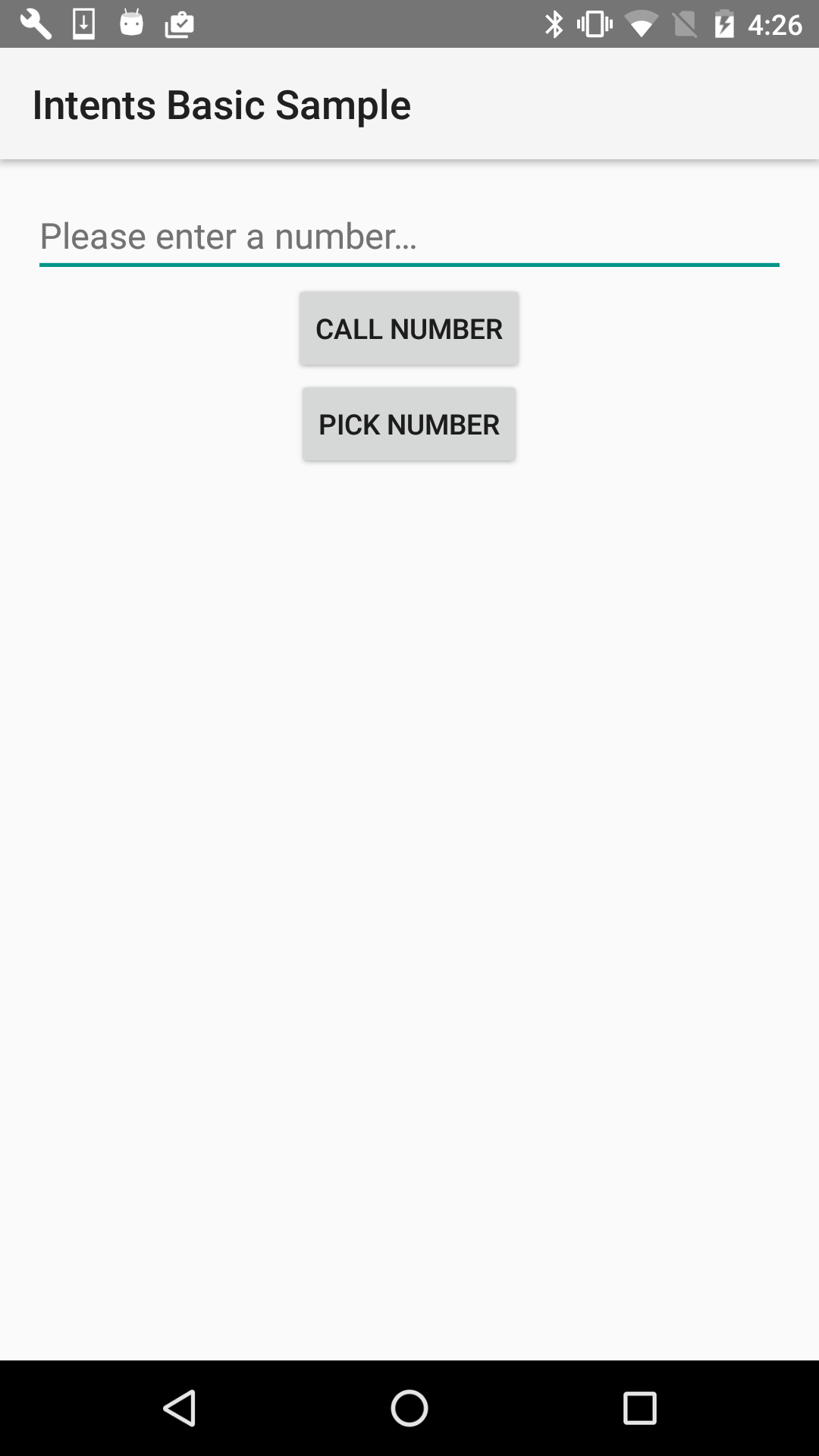
DialerActivity screen
Analyze DialerActivityTest
The project also contains a DialerActivityTest file.
Let's break this test down.
@RunWith
This test runs with AndroidJUnit4 which we've seen before:
@RunWith(AndroidJUnit4.class)@Rule
Instead of the ActivityTestRule that we've seen before, this test uses the IntentsTestRule. This rule is an extension of the ActivityTestRule, which initializes Intents before each Espresso test (@Test) is run and releases the Intent after each test is run. The associated activity is terminated after each test.

@Before - stubAllExternalIntents()
As mentioned in the comment in the code snippet below, by default Espresso Intent does not stub any Intents; instead, stubbing must be set up each time a test is run. The method stubAllExternalIntents() makes sure all external Intents are blocked.

It uses the intending() method associated with stubbing and takes not(isInternal()) as its IntentMatcher parameter. isInternal() matches an intent if its package is the same as the target package for the instrumentation test, therefore not(isInternal()) checks that the intent's package does not match the target package for the test. If that's the case respond with:
new ActivityResult(Activity.RESULT_OK, null)ActivityResult(int resultCode, Intent resultData) has 2 parameters.
resultCode- Is the code sent back to the original activity.RESULT_OKindicates the operation was successful.resultData- Is the data to send back to the original activity.nullindicates no data is sent back.
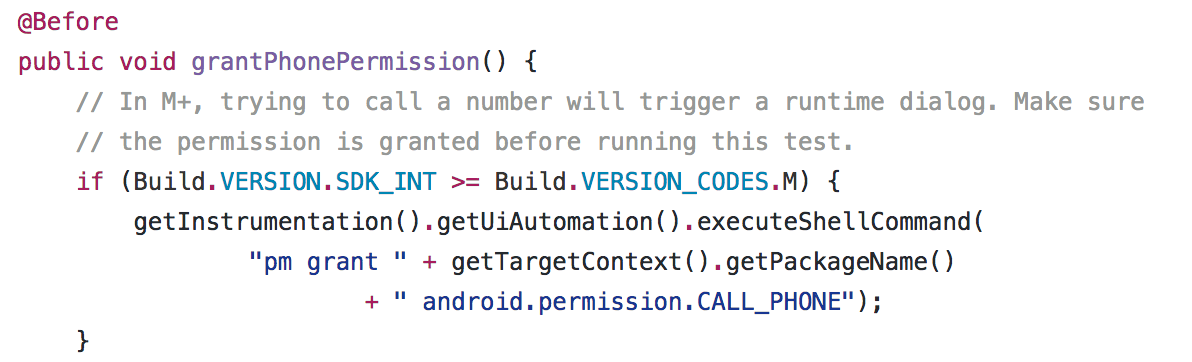
@Before - grantPhonePermission()
Intended for Android M+, ensures permission to use the phone is granted before running the DialerActivityTest.
@Test - pickContactButton_click_SelectsPhoneNumber()
This test mocks a user clicking the "Contact Button" in the DialerActivity, an intent to the ContactsActivity is then stubbed to return a hard-coded VALID_PHONE_NUMBER, and the finally the test checks that the phone number sent back is displayed in the UI.
The intent is stubbed here:

hasComponent() can match an intent by class name, package name or short class name. Here we match by ShortClassName for the ContactsActivity.
When matched, respond with:
new ActivityResult(Activity.RESULT_OK, ContactsActivity.createResultData(VALID_PHONE_NUMBER))ActivityResult(int resultCode, Intent resultData) has 2 parameters.
- resultCode - the code sent back to the original activity. RESULT_OK indicates the operation was successful.
- resultData - the data to send back to the original activity. In this case ContactsActivity.createResultData(VALID_PHONE_NUMBER) creates a resultData object containing the phone number that will be sent back to the DialerActivity.
Summary
The Intent Stubbing test, pickContactButton_click_SelectsPhoneNumber() stubs the intent that is sent when the user clicks the "Contact Button" by passing a hard-coded phone number, VALID_PHONE_NUMBER.